Documentation
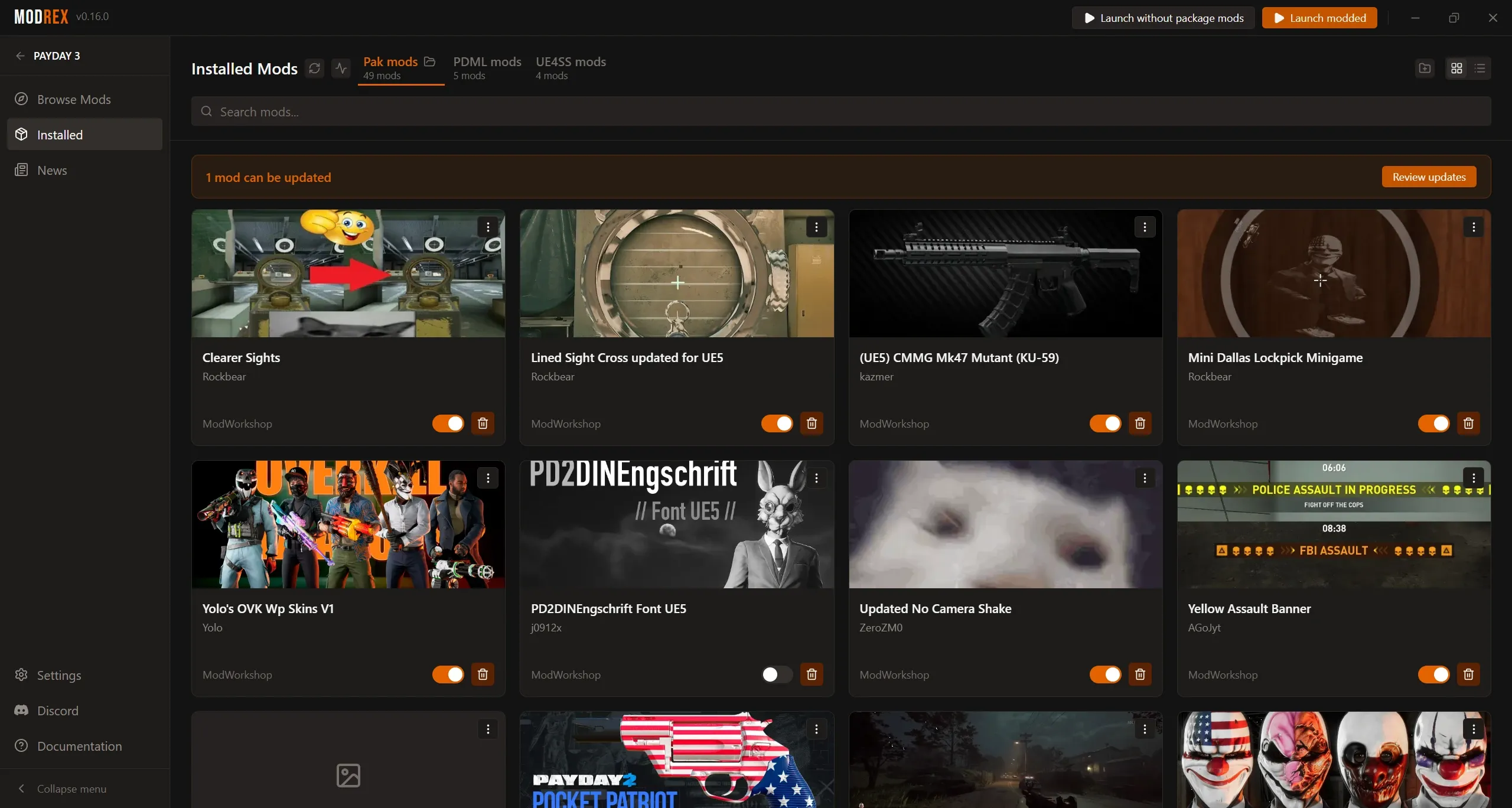
Modrex is a free, open-source desktop mod manager for Windows and Linux. Browse, install, and organize mods from ModWorkshop or Nexus Mods, then launch the game modded or vanilla from the app.
Key features
Section titled “Key features”- Browse ModWorkshop and Nexus Mods with catalog search, categories, tags, sorting, mod pages, and dependency info.
- Install in one click from
.pak,.zip,.7z,.rar,.tar.gz, and.tar.xzfiles, then enable, disable, or remove mods. Multi-file archives are grouped as one mod. - Organize your library into nested folders and reorder them by dragging.
- Profiles keep separate setups for one game, each with its own mods, folders, and load order, and you can share one with a code or a file.
- Update checks detect out-of-date mods so you can update them selectively or all at once.
- Launch modes let you start with managed mods enabled or use Launch without mods for the active game’s supported mod targets.
- Game detection finds supported games across their launchers and picks up mods you added outside Modrex.
Start here
Section titled “Start here”InstallationDownload Modrex and get it running on Windows or Linux.
GamesLauncher support, install targets, and loaders for each supported game.
ConceptsHow games, targets, archives, loaders, and launch modes fit together.
Using ModrexInstall mods, organize your library, and launch the game.
ReferenceSettings and troubleshooting for Modrex.
ContributingReport a problem, request a feature, translate Modrex, or contribute code.
Community and support
Section titled “Community and support”- Get help on the Modrex Discord, which also has discussions and updates.
- Contribute by following the contribution guide.