Documentation
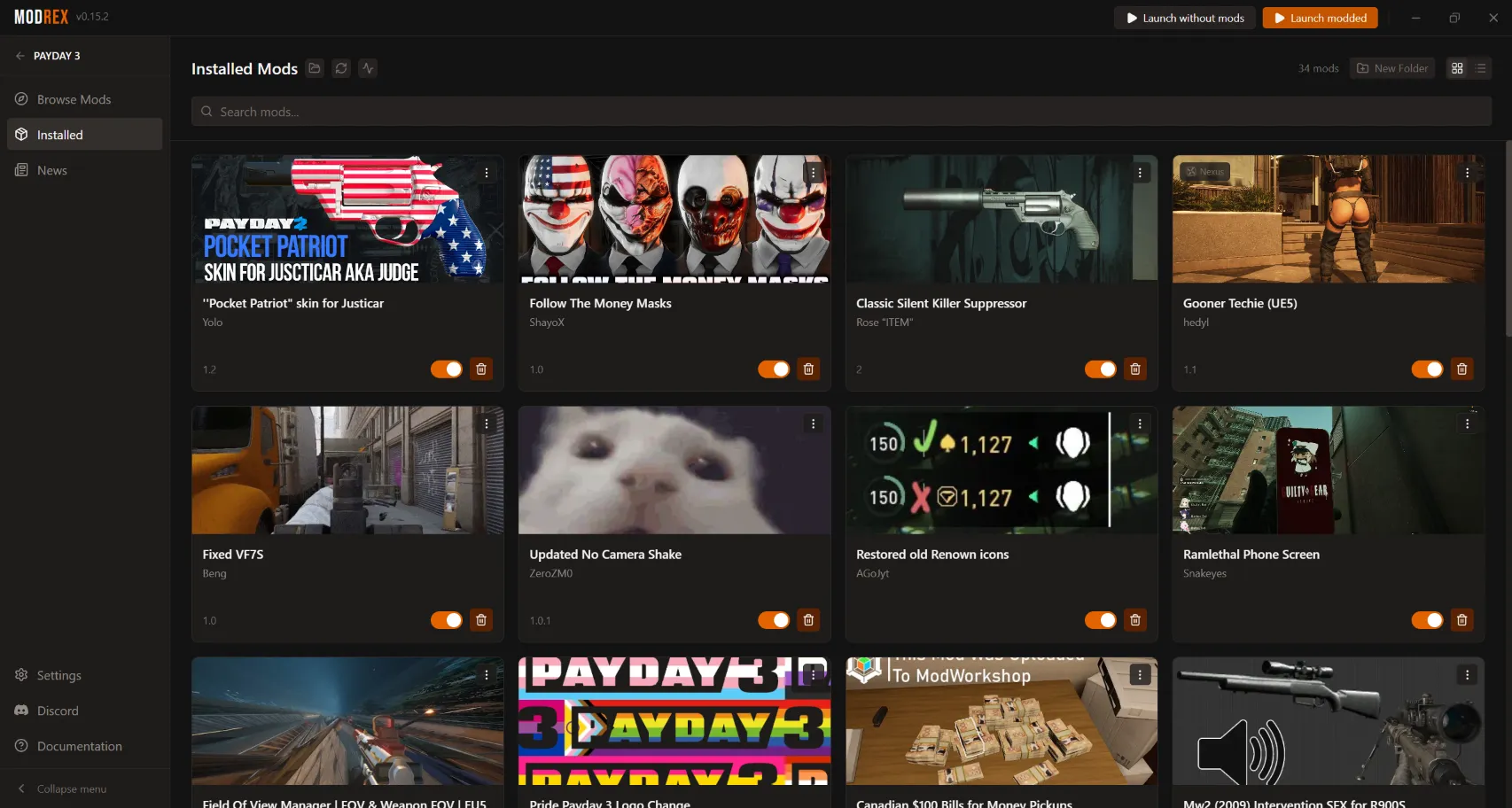
Modrex is a free, open-source desktop mod manager for Windows and Linux. Browse, install, and organize mods from ModWorkshop or Nexus Mods in one place - no manual file juggling - then launch the game modded or vanilla straight from the app.
Key Features
Section titled “Key Features”- Browse ModWorkshop and Nexus Mods - search the catalog with categories, tags, sorting, rich mod pages, and dependency info.
- One-click install - install, enable, disable, and remove mods from
.pak,.zip,.7z,.rar,.tar.gz, and.tar.xzfiles. Multi-file archives are grouped as one mod. - Organize in folders - sort your library into nested folders with drag-and-drop reordering that sticks.
- Smart updates - Modrex detects out-of-date mods and lets you update them selectively or all at once.
- Launch your way - start with managed mods enabled or use Launch without mods for the active game’s supported mod targets.
- Auto-detects your install - finds supported games across their launchers and picks up mods you added outside Modrex.
Start here
Section titled “Start here”Choose a section below based on what you need.
InstallationDownload Modrex and get it running on Windows or Linux.
GamesLauncher support, install targets, and loaders for each supported game.
ConceptsHow games, targets, archives, loaders, and launch modes fit together.
Using ModrexInstall mods, organize your library, and launch the game.
ReferenceSettings and troubleshooting for Modrex.
ContributingReport a problem, request a feature, translate Modrex, or contribute code.
Community & Support
Section titled “Community & Support”- Discord - join the Modrex Discord for support, discussions, and updates.
- Contributing - report problems, suggest features, translate Modrex, or contribute code using the contribution guide.